Birthday Cape
Overview
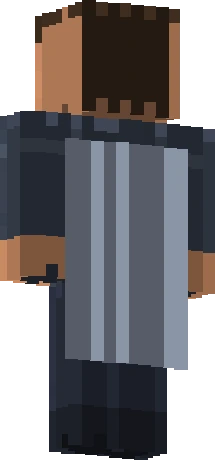
A colorful birthday-themed cape originally available through Bedrock Edition's character creator during Minecraft birthday events.
The Birthday Cape is a colourful, party-themed cloak made for Bedrock Edition and offered through the Character Creator during Minecraft's birthday celebrations. Unlike the Java capes that bind to a minecraft.net profile, this one lives in Bedrock's cosmetic system, where players equip cosmetics in the dressing room rather than through a website. It was a free seasonal item meant to let Bedrock players join the birthday festivities, which is why it is common among players who were active during those events. Its festive look fits the celebratory occasion it was tied to.
How to Get the Birthday Cape
Obtained by Bedrock Edition players through the Character Creator during birthday celebration events.
The Birthday Cape is no longer obtainable. The window to earn it has closed, and Mojang does not sell or re-issue it. Buying or selling accounts to acquire it breaks Minecraft's usage rules. Players who already own it can keep using it.
History & Rarity
Minecraft's birthday is celebrated in the spring, marking the game's early public launch, and Mojang has used these occasions to release themed cosmetics. The Birthday Cape was made available to Bedrock Edition players through the Character Creator during a birthday event around the 1.16 Bedrock timeframe. Because Bedrock's cosmetic platform differs from Java's account-bound capes, this cape is a Bedrock-side celebration item. Its availability was tied to the birthday promotional window, so it is no longer offered outside that event.
In rarity terms the Birthday Cape is classed as Common. It became visible in the Bedrock cape system around version 1.16 (Bedrock), and it is currently no longer obtainable.
How to Equip the Birthday Cape
The Birthday Cape is a Bedrock Edition cosmetic. Equip it from the in-game Dressing Room: open your profile, go to the Dressing Room, select the Capes (back) slot, and choose the Birthday Cape from your owned cosmetics.
On Bedrock Edition, capes are managed in the in-game Dressing Room:
- Launch Minecraft Bedrock Edition and open your character Profile.
- Enter the Dressing Room and choose the Capes (back) slot.
- Select Birthday Cape from your owned cosmetics.
- Confirm to equip; it shows on your character across worlds and servers.
Details
| Name | Birthday Cape |
| Rarity | Common |
| Version Added | 1.16 (Bedrock) |
| Available | No |
Frequently Asked Questions
Is the Birthday Cape for Java or Bedrock Edition?
It is a Bedrock Edition cape, offered through the Character Creator. It is not a Java Edition minecraft.net profile cape, so it is equipped in Bedrock's Dressing Room rather than on the website.
How was the Birthday Cape obtained?
Bedrock players could get it for free through the Character Creator during a Minecraft birthday celebration event around the 1.16 Bedrock timeframe.
Can I still get the Birthday Cape?
No. It was tied to a birthday promotional window, so it is no longer offered outside that event.
How do I equip the Birthday Cape in Bedrock?
Open your character profile, enter the Dressing Room, select the back (capes) slot, and choose the Birthday Cape from your owned items.


